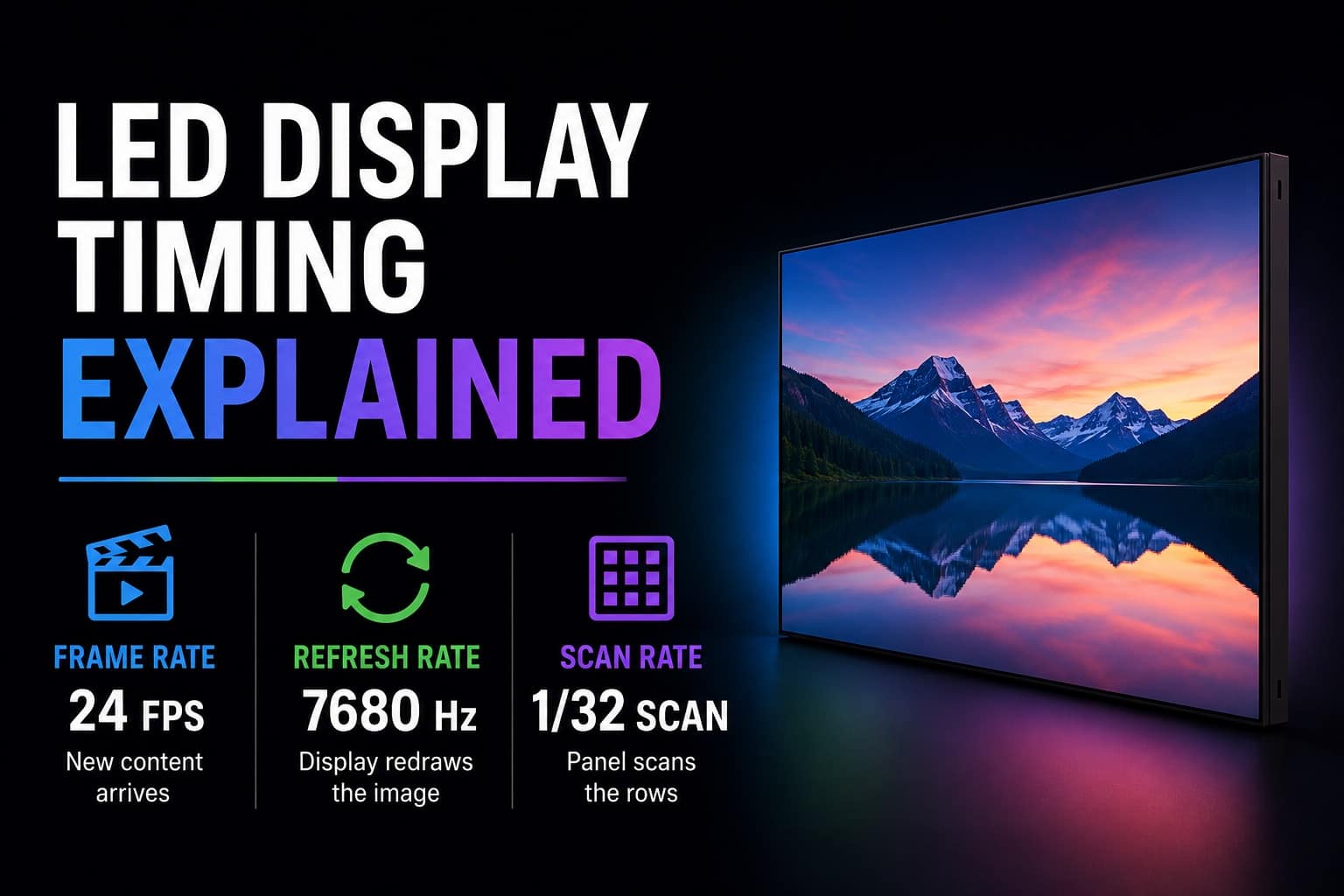
If you have ever compared LED video walls, especially fine-pitch COB displays for home theaters, boardrooms, studios, or luxury residential installations, you have probably seen specifications such as:
- 3840Hz Refresh Rate
- 7680Hz Refresh Rate
- 1/16 Scan
- 1/32 Scan
- 1/48 Scan
- 24 FPS
- 60 FPS
At first glance, these numbers seem related. Manufacturers often advertise them together, and many buyers assume that a higher number automatically means a better display.
The reality is more complicated.
In fact, some of the most common misconceptions in the LED industry involve refresh rate, scan rate, and frame rate. Even experienced buyers frequently misunderstand how these specifications interact and what they actually mean in real-world performance.
This guide will explain these concepts in plain English, using real-world examples instead of engineering jargon.
The Three Different Processes Happening Inside an LED Display
To understand how an LED display works, it helps to realize that three separate processes are occurring simultaneously.
First, the display receives video content.
Second, it continuously redraws that content.
Third, it physically scans through rows of LEDs to make the image appear stable and bright.
These three processes correspond to:
- Frame Rate
- Refresh Rate
- Scan Rate
While they work together, they are not the same thing.
What Is Frame Rate?
Frame rate describes how many unique images arrive at the display every second.
For example:
- Most movies are 24 frames per second
- Television is commonly 30 frames per second
- Gaming often runs at 60, 120, or higher frames per second
If you are watching a movie filmed at 24 FPS, the source device sends 24 unique pictures to the display every second.
Think of a flipbook.
Every page is a new image. The number of pages being turned every second is the frame rate.
Frame rate represents the content itself.
It does not describe how the LED wall operates internally.
What Is Refresh Rate?
Refresh rate describes how many times per second the LED display redraws the image currently being shown.
This is where many people become confused.
Suppose you are watching a 24 FPS movie.
The display receives only 24 new images every second.
However, the LED wall does not simply display each image once and wait for the next one to arrive.
Instead, it continuously redraws that image over and over until the next frame arrives.
For example:
- Movie: 24 FPS
- Display Refresh Rate: 3840Hz
This means:
3840 refreshes ÷ 24 frames = 160 refreshes per frame
In other words, every movie frame is redrawn approximately 160 times before the next movie frame arrives.
The display is not showing 160 different images.
It is redrawing the same image 160 times.
This helps maintain image stability, reduce flicker, improve grayscale performance, and produce cleaner results on camera.
Why Refresh Rate Matters
A higher refresh rate generally provides several benefits.
Reduced Flicker
LED displays are actually turning LEDs on and off extremely rapidly.
The faster this process occurs, the less likely flicker becomes visible to the human eye or a camera.
Better Camera Performance
Professional cameras often expose display imperfections that humans cannot see.
Low refresh rates may create rolling bands, flicker, or brightness fluctuations on camera.
Higher refresh rates help eliminate these issues.
Improved Grayscale Performance
A higher refresh rate allows the display to better control brightness transitions and shadow detail.
This is particularly important for premium home theaters and high-end visual environments.
Smoother Dimming
Displays with higher refresh rates generally produce more refined brightness adjustments and smoother gradients.
What Is Scan Rate?
Scan rate describes how the display physically powers its LEDs.
This is the specification that causes the most confusion.
Many people assume that scan rate is a quality measurement.
It usually is not.
Instead, scan rate is primarily an engineering solution.
Understanding Multiplexing
Imagine an LED module with many rows of LEDs.
A display could theoretically power every row simultaneously.
However, doing so would require enormous amounts of current, larger power supplies, additional driver circuitry, and significantly more heat management.
Instead, LED manufacturers power only a portion of the rows at a given moment.
For example:
1/8 Scan
Only one-eighth of the rows are actively powered at any instant.
The display rapidly cycles through all row groups.
1/16 Scan
Only one-sixteenth of the rows are powered at any instant.
1/48 Scan
Only one-forty-eighth of the rows are powered at any instant.
The cycling happens so quickly that your eyes perceive the display as continuously illuminated.
Is Lower Scan Better?
Not necessarily.
This is one of the biggest myths in LED purchasing.
A 1/8 scan display is not automatically better than a 1/48 scan display.
A 1/48 scan display is not automatically more advanced than a 1/8 scan display.
Scan rate often reflects the physical constraints of the pixel pitch and cabinet design.
Why Fine-Pitch Displays Use Higher Scan Ratios
Consider an older P10 outdoor display.
The pixels are relatively large and widely spaced.
The module contains a comparatively small number of LEDs.
Powering a larger percentage of rows simultaneously is practical.
Now consider a modern P0.9 COB display.
The pixels are packed extremely close together.
The module may contain many times more LEDs in the same physical area.
Powering all those rows simultaneously would require:
- Larger power supplies
- More driver circuitry
- Greater heat dissipation
- Increased manufacturing cost
As pixel density increases, manufacturers often move toward higher scan ratios such as 1/32, 1/48, or even higher.
This is not because higher scan is better.
It is because the electronics have no practical alternative.
The Relationship Between Frame Rate, Refresh Rate, and Scan Rate
Let’s use a real-world example.
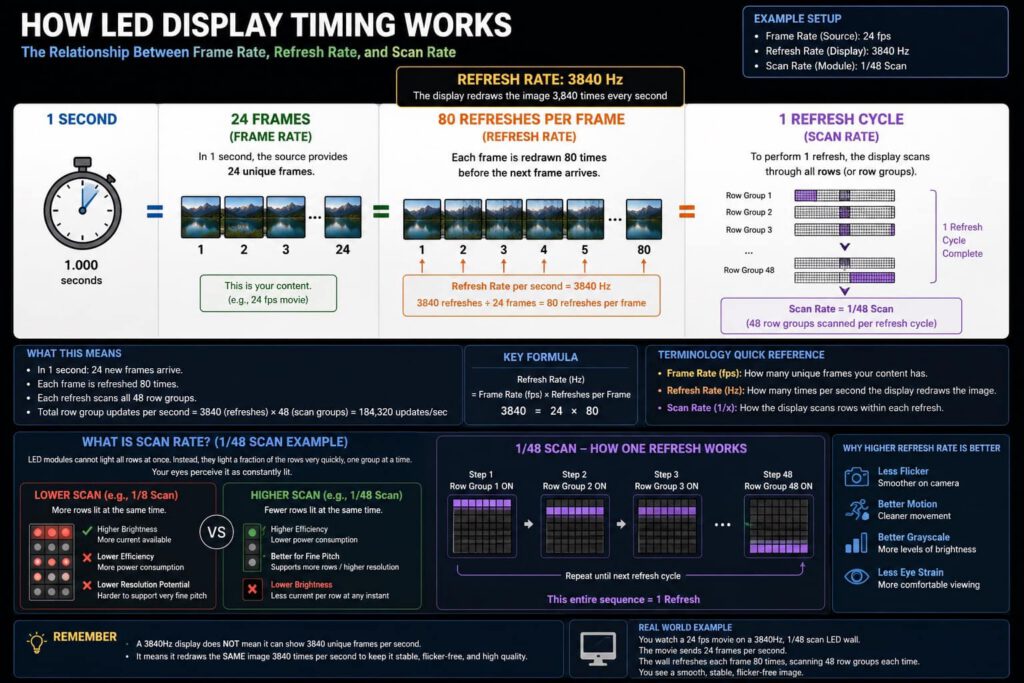
Imagine a home theater LED wall with the following specifications:
- Movie Content: 24 FPS
- Refresh Rate: 3840Hz
- Scan Rate: 1/48
During one second:
The media source sends 24 unique images.
The display redraws those images 3840 times.
Each redraw requires scanning through 48 row groups.
This means the display performs an enormous number of internal row updates every second to maintain a stable image.
The important takeaway is that these three numbers describe completely different things.
Frame rate describes how often new content arrives.
Refresh rate describes how often the display redraws that content.
Scan rate describes how the display physically accomplishes those redraws.
Can a 3840Hz Display Show 3840 Frames Per Second?
No.
This is perhaps the most common misunderstanding.
A 3840Hz refresh rate does not mean the display can show 3840 unique video frames every second.
Refresh rate and frame rate are not the same thing.
A 3840Hz display may still be showing:
- A 24 FPS movie
- A 30 FPS broadcast
- A 60 FPS video
- A 120 FPS game
The display simply redraws those incoming frames many times before the next frame arrives.
Think of it this way.
If a billboard worker repeatedly re-glued the same poster to keep it perfectly flat, that would not mean new posters were arriving every few seconds.
The worker is simply maintaining the same image.
That is essentially what refresh rate does.
Which Specification Matters Most?
For most buyers evaluating premium LED video walls, the typical priority order should be:
- Pixel Pitch
- Overall Image Quality
- Driver IC Quality
- Refresh Rate
- Color Uniformity
- Contrast Performance
- Processing Electronics
- Scan Rate
Pixel pitch, image processing, driver quality, and panel uniformity generally have a much larger impact on image quality than scan rate.
This is why comparing scan rates alone can be misleading.
The Simplest Way to Remember It
If you only remember one thing from this article, remember this:
Frame Rate = How often new content arrives.
Refresh Rate = How often the display redraws the current image.
Scan Rate = How the display physically performs those redraws.
A movie may provide only 24 new images every second.
Meanwhile, a modern LED wall may redraw those images 3840 times per second while scanning through dozens of row groups during each refresh cycle.
That is why a modern LED display can appear perfectly stable, bright, smooth, and flicker-free even though the LEDs themselves are constantly turning on and off behind the scenes.